
- Key Takeaways
- What Are Avionics?
- Where Avionics Live on an Aircraft
- Common Avionics Myths
- Avionics Are “Just the Screens.”
- Small Cessnas “Have No Avionics.”
- The Importance of Avionics
- Avionics to the Rescue
- The Six Core Avionics Subsystems
- Communication Systems
- Navigation Systems
- Flight Monitoring (Instruments and Displays)
- Flight Control Systems
- Surveillance and Warning Systems
- Weather Systems
- Glass Cockpit vs. Analog: What Changed?
- Avionics in GA vs. Commercial Aviation
- Frequently Asked Questions
- “What does avionics mean?”
- “What is the difference between avionics and instruments?”
- “Do all airplanes have avionics?”
- “How much does it cost to upgrade avionics in a small airplane?”
- “What is a glass cockpit?”
- “What does an avionics technician do?”
- “Is ADS-B considered avionics?”
- Conclusion
You sit down in a modern Cessna, and the panel lights up like a video game. The screen shows color-coded tapes and a moving map.
Okay, now picture the Wright Flyer’s cockpit in 1903. The instrument panel consisted of a stopwatch and an anemometer, with a revolution counter mounted at the base of the engine.
Between these two machines stands 120 years of aircraft avionics.
But what are avionics, and why does almost every cockpit rely on them? We’ll explain how they work and walk you through the six subsystems every cockpit shares.
Key Takeaways
- Avionics blends aviation and electronics. It’s every electronic system installed on an aircraft.
- Certified avionics must pass TSO testing and meet FAA standards before installation.
- The six subsystems are communication, navigation, monitoring, flight control, surveillance, and weather.
- Commercial avionics use the same subsystems as GA, but with more depth and redundancy.
What Are Avionics?
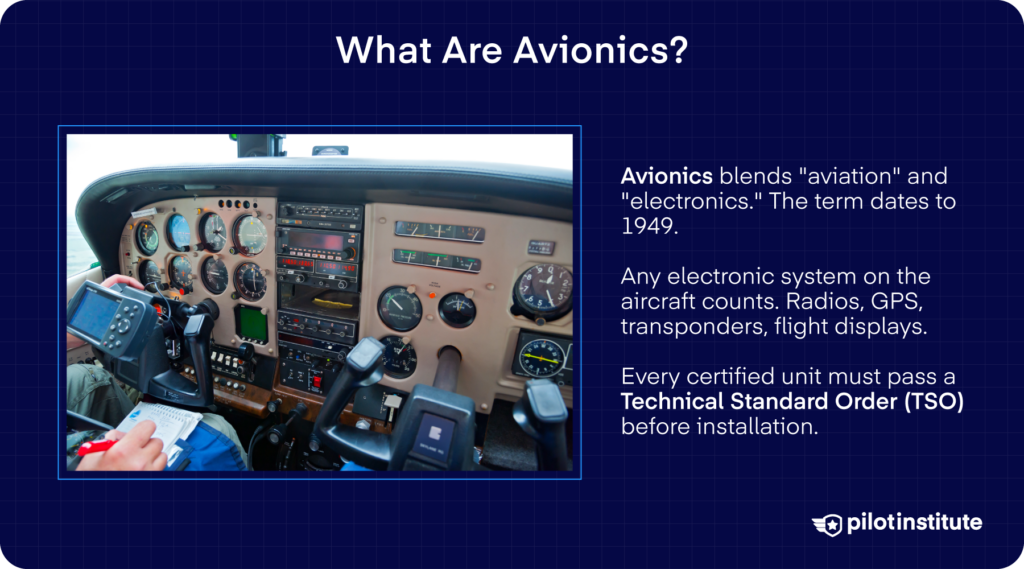
The word “avionics” is a portmanteau. (A what?) It’s a blended word, in this case formed from “aviation” and “electronics.”
The term dates to 1949, but it truly went mainstream in the 70s, and it has stuck around ever since.
So what counts as avionics? Essentially, any electronics installed on an aircraft that handle communication, navigation, flight control, displays, or system monitoring fall under this umbrella.
Your transponder, your GPS receiver, your radios, and your primary flight display are all avionics.
Now, an important distinction. Avionics are not like the consumer electronics you buy at a big-box store.
A piece of avionics has to meet a Technical Standard Order (TSO) that proves it can do its job reliably.
A TSO is a minimum performance standard used to evaluate an article. It can be a material, part, component, process, or appliance, per 14 CFR 21.1(b)(2).
Where Avionics Live on an Aircraft
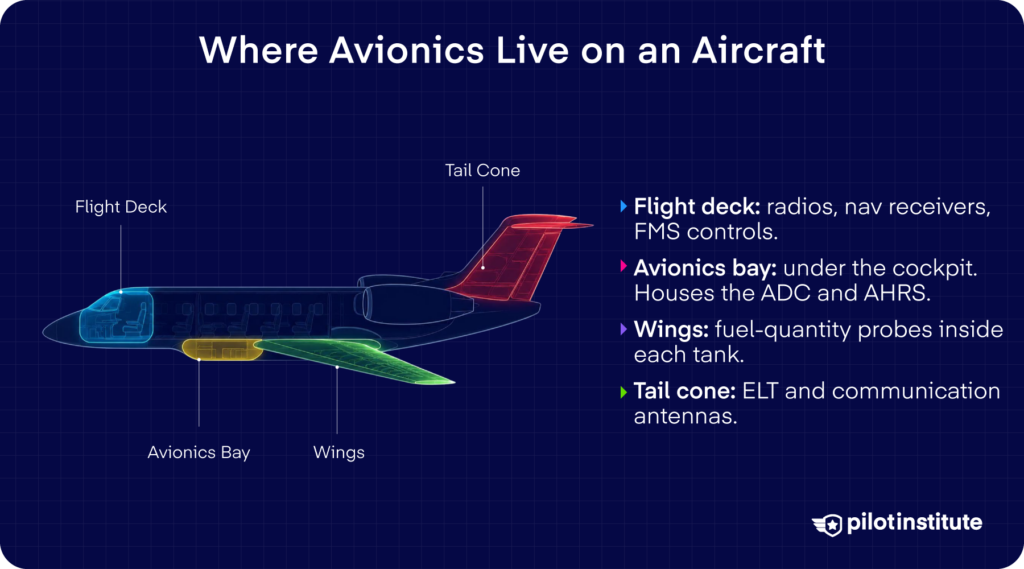
Avionics are everywhere on an aircraft but they tend to cluster in a few spots.
The flight deck is the most obvious one.
Right in front of you, behind the instrument panel, sit racks of equipment. It has your communication radios, navigation receivers, and flight management system (FMS) controls.
These are the boxes you interact with directly during every flight.
Move forward a bit, and you’ll find the main avionics bay. In larger commercial airplanes, the main avionics compartment is typically in the forward section of the aircraft under the cockpit.
What lives down there? Usually, your air data computer (ADC), which processes pitot-static information into airspeed and altitude, and your attitude and heading reference system (AHRS).
Avionics also extend out into the wings. Fuel-quantity probes sit inside each tank.
Newer generation aircraft send tank quantity signals to a central Fuel Quantity Computer. Each tank quantity gets calculated and sent out via a data bus to all the systems that need that information.
Head to the back of the aircraft, and you’ll find more avionics tucked into the tail cone. Your emergency locator transmitter (ELT) lives here, with an antenna attached to the exterior of the fuselage skin.
Communication antennas spring up from here, too. They’re usually on the top and bottom of the fuselage, or mounted on the vertical stabilizer.
Common Avionics Myths
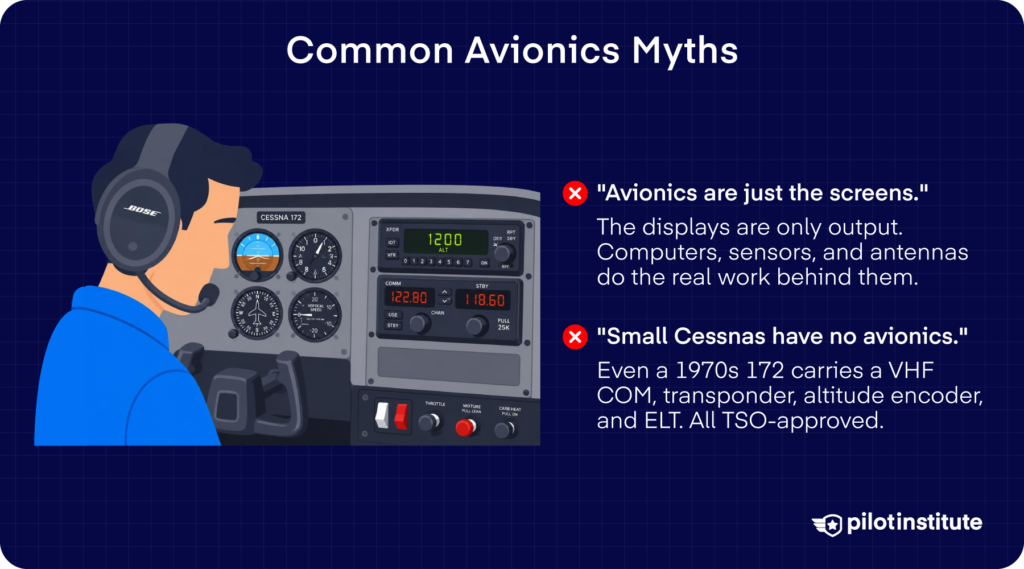
Avionics Are “Just the Screens.”
When you peek into a modern cockpit, the glass displays take all the attention. But thinking that avionics are just those screens is like calling a desktop computer “just the monitor.”
In reality, what you see is only the output. Behind every display, there’s a network of computers, sensors, antennas, and wiring that does the actual work.
Your AHRS feeds attitude data to the PFD, which then generates the pitch and bank you see on the attitude indicator. Heading information comes from a magnetometer, a device that senses the Earth’s lines of magnetic flux.
Once that information is processed, it gets sent over to the PFD to generate the heading display.
Your air data computer crunches pitot-static inputs into airspeed and altitude. Your GPS receiver pulls signals from satellites through antennas on the fuselage.
The display just paints the picture once all that processing is done.
Small Cessnas “Have No Avionics.”
You walk up to a 1970s Cessna 172 with steam gauges and assume it’s got no avionics. Is that true? Of course not!
Let’s start with the famous “ATOMATOFLAMES” acronym. It lists the equipment your aircraft needs to have for daytime VFR flying, according to 14 CFR 91.207.
The “E” stands for Emergency Locator Transmitter (ELT). That counts as avionics!
Now look around the rest of the panel. Your VHF communication radios are avionics. Your transponder is avionics. So is your altitude encoder, the little box that feeds pressure altitude to the transponder.
These aren’t on the list, but the moment you fly into busier airspace, you’ll need them.
So yes, even a small Cessna has a considerable suite of avionics. And depending on where you fly, federal regulations might even require you to have them.
The Importance of Avionics
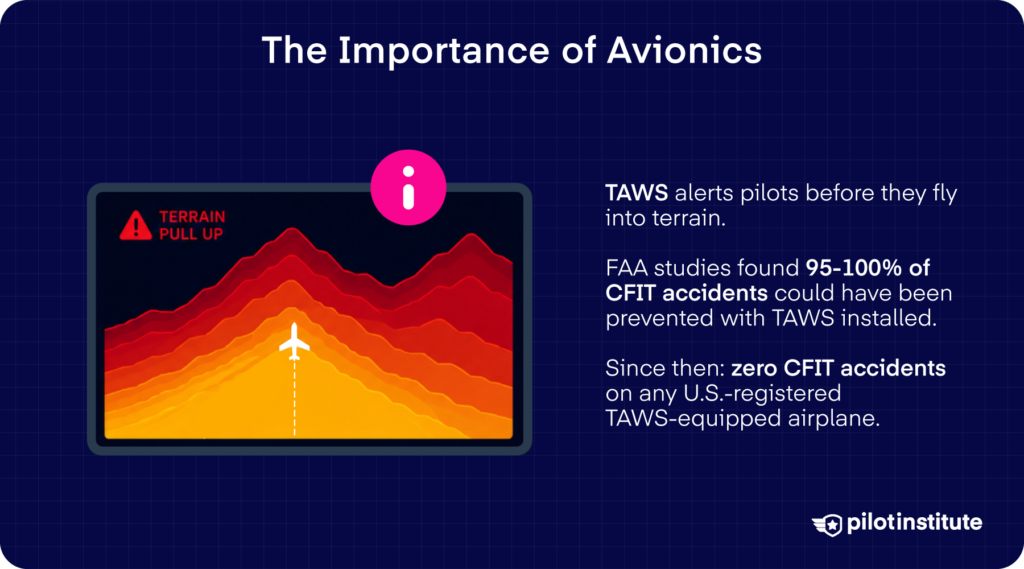
Avionics make our lives easier, and we love them for that. But in many cases, they could also be the thing standing between us and a fatal accident.
Let’s examine the Terrain Awareness and Warning System (TAWS). It alerts pilots when their aircraft is about to fly into mountains, ridges, or other obstacles.
Has it worked? You only have to look at history to decide.
On December 20, 1995, American Airlines Flight 965 crashed into high terrain during approach to Alfonso Bonilla Aragon International Airport. Of the 163 people on board, there were only four survivors.
If CFIT had been a high-profile hazard before, this accident only made the issue more urgent in the public eye.
Avionics to the Rescue
The National Transportation Safety Board (NTSB) called on the FAA to examine the effectiveness of enhanced ground proximity warning equipment. And, if it proved effective, to require all transport category aircraft to be equipped with it.
When the FAA commissioned two studies through the Volpe National Transportation Systems Center, what they found was compelling.
Somewhere between 95 and 100 percent of the accidents analyzed could have been prevented if EGPWS (later known as TAWS) had been installed and operating.
Yes, almost all!
And the results? To this day, not a single U.S.-registered airplane equipped with TAWS has run into a CFIT accident. That perfect record covers operations under parts 121, 135, and 91.
That’s the whole point of avionics. They give you eyes and ears you don’t naturally have. They keep you ahead of the airplane when your own senses might mislead you.
The Six Core Avionics Subsystems
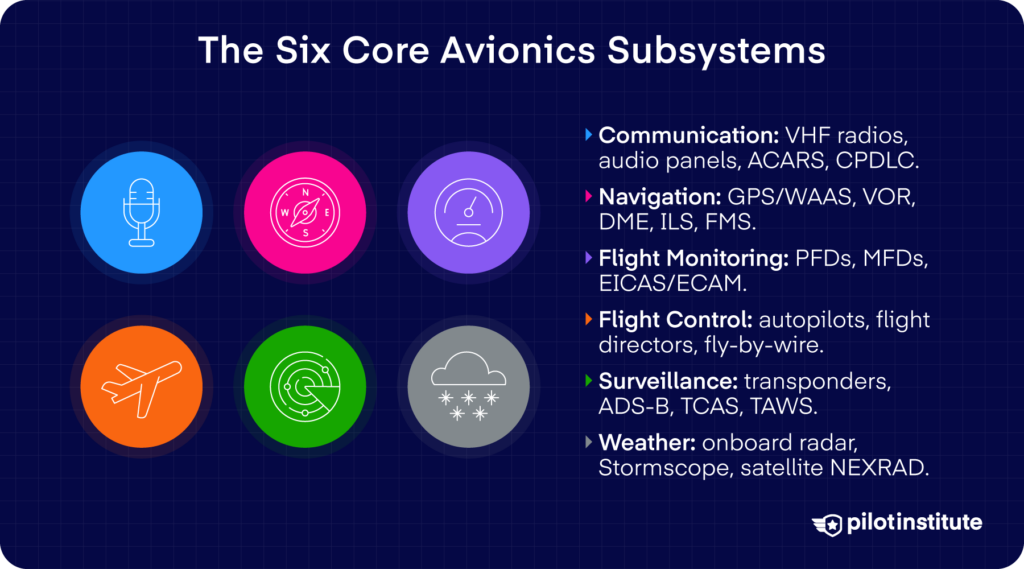
Every cockpit, from a Cessna 150 to a Boeing 787, has some version of these six subsystems. The technology gets fancier as you move up the aircraft ladder, but the basic functions stay the same.
Communication Systems
This is the gear that lets you talk. Your VHF COM radios handle ATC and other aircraft, and your audio panel routes everything to the right headset.
On airliners, you also get datalink systems like ACARS and CPDLC. ACARS is a digital data link system that handles message transmission between aircraft and ground stations.
CPDLC, on the other hand, is a two-way data-link system that lets controllers and pilots exchange clearances, route amendments, and other ATC messages as a text-based alternative to voice communications.
Navigation Systems
These tell you where you are and how to get somewhere else. GPS is the workhorse of modern aviation, and when paired with WAAS, it gives you accuracy precise enough for instrument approaches.
The FAA still supports older ground-based aids like VOR, DME, and ILS as a backup network.
GPS and WAAS are the preferred means of navigation, with DME, VOR, and ILS serving as a resilient backup.
Your FMS ties everything together as it manages your route from takeoff to landing.
Flight Monitoring (Instruments and Displays)
This subsystem shows you what the airplane is doing. The classic six-pack of round analog gauges has largely given way to glass cockpits.
PFDs and multi-function displays (MFDs) typically combine several navigation instruments into a single presentation.
On airliners, engine data flows through EICAS or ECAM, and annunciators flag anything outside normal limits.
Flight Control Systems
What flies the airplane when you delegate? Autopilots, flight directors, and on modern jets, fly-by-wire.
The flight director computes the pitch and roll commands you see on the PFD. When the autopilot is engaged, it follows those same commands to fly the airplane.
Most autopilots can fly straight and level, with additional tasks like finding a selected course, changing altitudes, and tracking navigation sources with crosswinds.
Autotrim keeps the controls properly balanced without your input.
Surveillance and Warning Systems
This is how you see and get seen. Your transponder broadcasts altitude and identity to ATC radar.
ADS-B Out shares your position with everyone nearby, and ADS-B In brings traffic and weather right to your screen.
TCAS warns you of converging aircraft, and TAWS warns you of converging terrain.
Weather Systems
These keep you out of trouble before you reach it. Onboard weather radar paints precipitation ahead.
A Stormscope detects lightning activity, and satellite services deliver NEXRAD and METARs in flight. Datalinked ATIS gives you airport conditions before you even tune the frequency.
Glass Cockpit vs. Analog: What Changed?
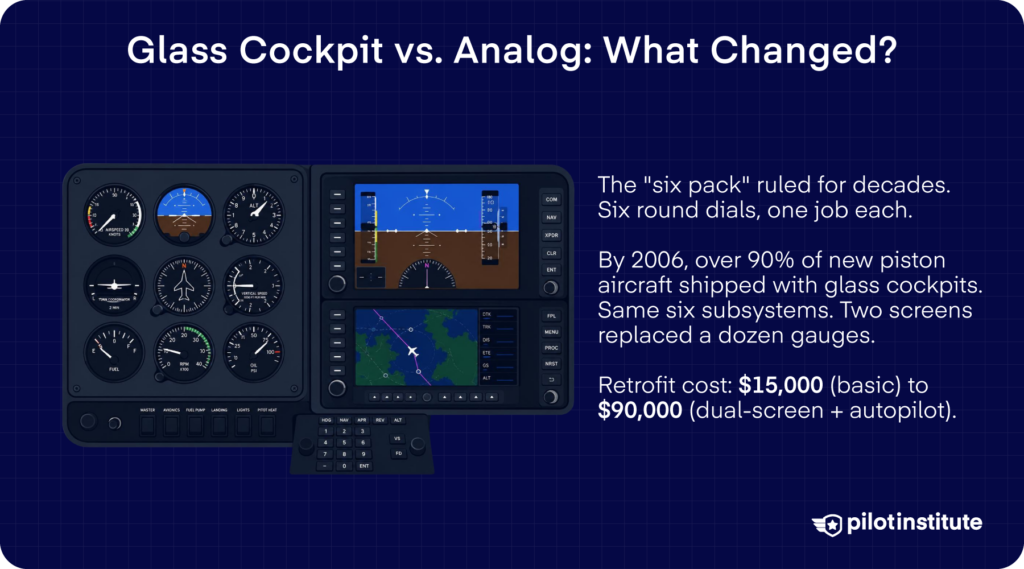
For decades, the standard cockpit was a wall of round dials. You had separate instruments for airspeed, altitude, attitude, heading, vertical speed, and turn coordination.
Pilots called this layout the “six pack.” Each gauge did one job, and your scan was a constant sweep across the panel.
But that started to change in the early 2000s. Cirrus Design Corporation began delivering FAA-certified light aircraft with electronic primary flight displays in 2003.
Cessna, Piper, Mooney, and Beechcraft soon followed.
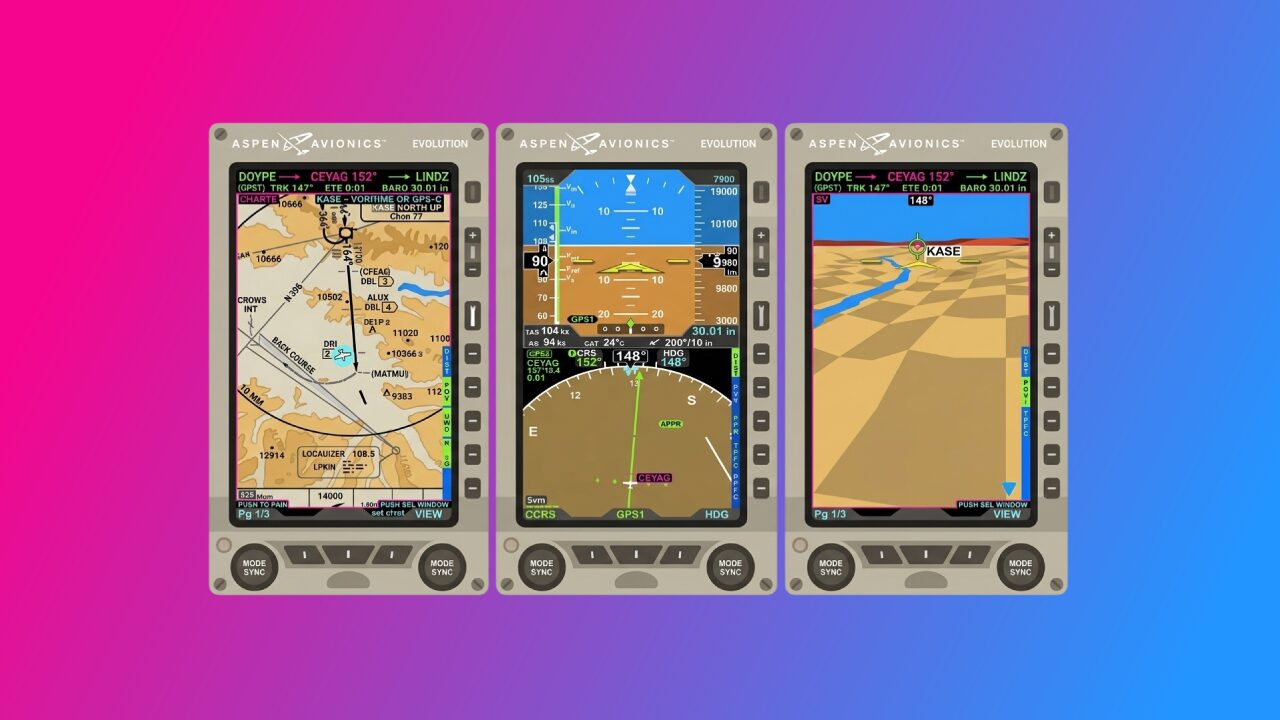
By 2006, more than 90 percent of new piston-powered, light airplanes were equipped with full glass cockpit displays, according to the General Aviation Manufacturers Association (GAMA). Names like the Garmin G1000 and Aspen Evolution became standard equipment.
But what changed? Not the six core subsystems. You still need communication, navigation, flight monitoring, flight control, surveillance, and weather.
What changed is how all that information gets to you.
The previously separate components became integrated into glass cockpit displays. They can handle flight management, terrain and traffic avoidance, enhanced or synthetic vision displays, and upset recovery functions.
Two big screens replaced a dozen or more individual gauges.
What about the cost? You can’t expect it to be cheap.
Depending on the system, panel layout, and installation labor, a full retrofit can run anywhere from around $15,000 for a basic single-screen setup.
On the higher end, an integrated dual-screen suite with autopilot could set you back by $90,000.
That said, for owners, the benefits are usually worth it. Better situational awareness, fewer maintenance headaches with old vacuum-driven gyros, and a sizable bump in resale value.
Avionics in GA vs. Commercial Aviation
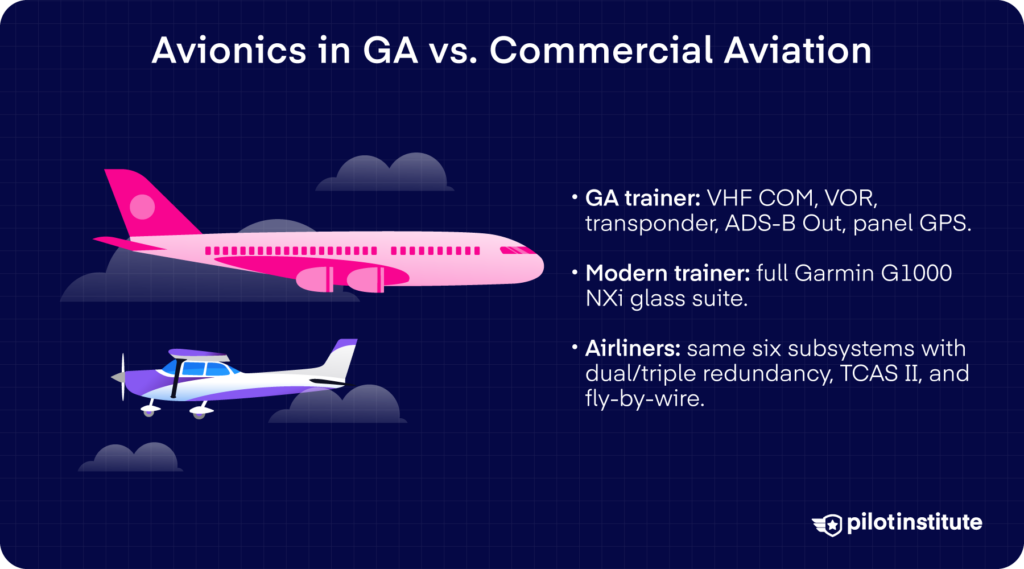
A legacy GA trainer usually has the basics: a VHF COM, a VOR receiver, a transponder with ADS-B Out, and usually a panel GPS. That’s enough to get you into the system and fly IFR.
Then, step into a modern factory-fresh trainer like a Cessna 172S, and you’ll find that shiny Garmin G1000 NXi.
Move up to high-performance singles and twins, and you’re looking at full integrated suites from Garmin or Avidyne with everything tied together on big screens.
Now step into an airliner. At its core, the list looks familiar. You still have comms, nav, displays, flight controls, surveillance, and weather.
What’s different?
The depth. You get dual- or triple-redundant FMS, satellite comms for global datalink, and ACARS for everything from gate changes to maintenance reports.
TCAS II gives you specific instructions on how to avoid the conflict with traffic, known as a Resolution Advisory. They can communicate with each other to ensure separation.
On newer types, the toys keep coming. The 787 is the first Boeing airliner to come with dual head-up displays (HUDs) and dual electronic flight bags as standard.
Fly-by-wire jets layer triple redundant flight control computers on top of all that. Even if one computer fails, two more are running the show.
Frequently Asked Questions
“What does avionics mean?”
Avionics is a portmanteau of “aviation” and “electronics.” It can be a radar, radio or navigation system in your aircraft.
In short, if it’s an electronic system on the aircraft, it falls under avionics.
“What is the difference between avionics and instruments?”
Instruments are the gauges and displays you read in the cockpit, like the altimeter or attitude indicator.
Avionics is the broader category that includes those instruments plus all the radios, processors, antennas, and computers behind them.
Every electronic instrument is avionics, but not every piece of avionics is an instrument.
“Do all airplanes have avionics?”
Almost every certified airplane flying today has at least some avionics on board. Even a basic 1970s trainer carries a VHF COM radio, a transponder, and an altitude encoder, all of which are TSO-approved avionics.
Some experimental and ultralight aircraft can legally fly without electronics, but they’re the exception.
“How much does it cost to upgrade avionics in a small airplane?”
It depends on what you want. A basic ADS-B Out upgrade alone can run $2,000 to $6,000. A full glass panel retrofit can range from $15,000 for a single-screen setup to around $90,000 for an integrated dual-screen system with autopilot.
That’s not factoring in installation and labor, which will definitely affect the final bill.
“What is a glass cockpit?”
A glass cockpit replaces the traditional round analog gauges with large electronic displays. The previously separate components for autopilot, communication, navigation, and aircraft systems have been integrated into glass cockpit displays.
One or two screens replace a dozen or more individual instruments.
“What does an avionics technician do?”
Avionics technicians are specialists who repair and maintain an aircraft’s electronic systems, including radio communications equipment and radar.
They troubleshoot failures and make sure every component meets FAA standards.
“Is ADS-B considered avionics?”
Yes. ADS-B Out and ADS-B In hardware are certified electronic systems that handle surveillance and traffic information. That makes them avionics by definition.
The transponder, GPS source, and antenna that make ADS-B work are all TSO-approved avionics components.
Conclusion
So what are avionics? They’re every screen in front of you, and everything in the aircraft that keeps them running. You’re looking at over a century of technological evolution.
Now that you can sort them into the six core avionics systems, take a closer look during your next preflight or sim session. Hopefully, you’ll start seeing the panel in a whole new way.