
-
Key Takeaways
- Regulatory & Practical Drivers
-
Flight Computer Types
- Mechanical (Analog E6B)
- Electronic Flight Computers / Handheld Electronic E6Bs
- App-Based (EFB Plugins on Phone/Tablet)
-
Mechanical E6Bs / Mechanical Flight Computers
- Pros and Cons
-
Electronic E6Bs / Electronic Flight Computers
- FAA-Approved Models Compared
- Buying Considerations
-
App-Based Flight Computers
- Limitations
-
Using Your Flight Computer Effectively
- For Written Exams
- In-Flight Techniques
-
Best Electronic Flight Computers
- ASA CX-3 Flight Computer – Best Overall Electronic
- Sporty’s Electronic E6B – Best Budget Electronic
-
Best Mechanical Flight Computers
- ASA E6-B Composite – Best Entry-Level Wheel
- ASA Metal E6-B – Best Long-Term “Forever” Wheel
- ASA Color E6-B – Easiest-to-Read Mechanical
- Jeppesen Student CSG E6B – Best “Student Standard” Wheel
- ASA Micro E6-B – Best Tiny Backup
-
Best App Flight Computers
- Sporty’s E6B App (iOS & Android) – Best Standalone App Computer
- ForeFlight Built-In Tools – Best for ForeFlight Users
- FlightReady E6B (iOS) – Simple Alternative
-
Conclusion
You’re in the air trying to hold a line as the crosswind shoves you sideways. You’re spinning a whiz wheel, doing your best to stay ahead of the drift.
Then you look over to your right, and you see your CFI happily tapping away on their tablet. They already got an answer before you finish a turn of the wheel.
That should tell you why a flight computer still matters in 2025. But even with glass cockpits and GPS, you still need independent cross-checks.
Electronic databases can replace piles of handbooks, but they don’t replace judgment. So, let’s look at the three formats and a simple way to choose without wasting money.
Heads up: Some links in this article are affiliate links. As an Amazon Associate, we earn from qualifying purchases. This helps support the site at no extra cost, so we can keep creating content for readers like you.

Private Pilot
Study Sheet

Grab a printable PDF that highlights must-know PPL topics for the written test and checkride.
- Airspace at-a-glance.
- Key regs & V-speeds.
- Weather quick cues.
- Pattern and radio calls.
Key Takeaways
- FAA written exams only allow mechanical wheels or electronic computers with cleared memory.
- A mechanical computer shines when you want a durable, battery-free tool that works anywhere.
- An electronic computer is best when you want quicker calculations across many training levels.
- Choose the app-based option for everyday flying or if you already fly with an EFB.
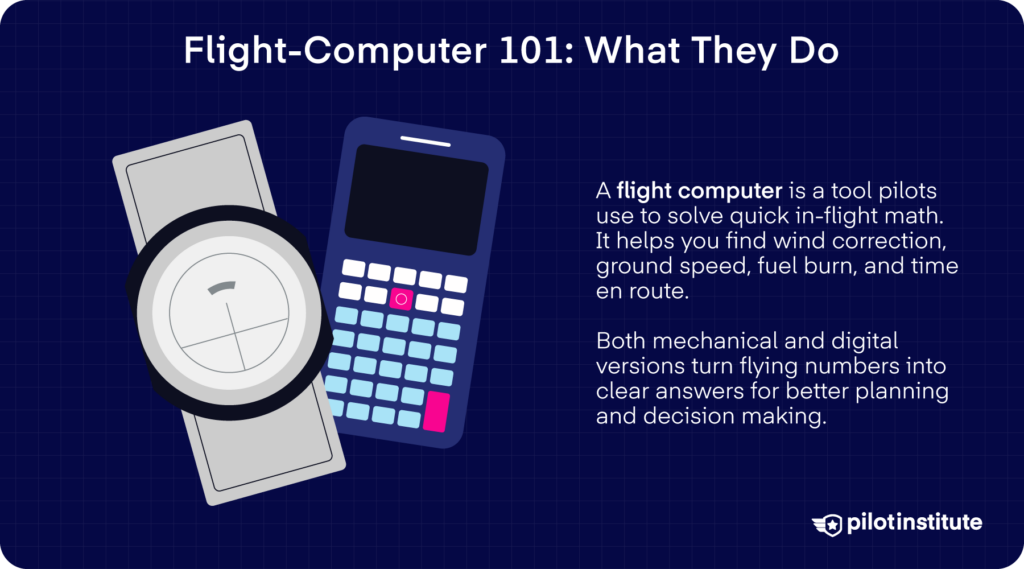
Although you don’t need to be a math major to become a pilot, that doesn’t mean there won’t be numbers in the job. There’ll be times when you’ll need to make essential calculations, sometimes with little time to spare. And during those times, your flight computer will be your best friend and savior.
A good one helps you solve time, speed, and distance problems. You can also work out the heading you should fly so you stay on course when the wind is pushing you around.
When you’re planning your takeoff and landing performance, you can compute your pressure or density altitude.
The list goes on; you get the idea. But the impressive thing is that almost every computation in flying can be done by one little device!
Regulatory & Practical Drivers
Are you a student pilot training for the private pilot certificate? Then you’re probably just about to take the FAA knowledge test for the first time.
Before you pick your first flight computer, it helps to know what the rules say for testing and certification. You’re allowed to use straightedges, protractors, plotters, navigation computers, and electronic or mechanical calculators that are directly related to the test.
Don’t be surprised if the proctor closely checks what calculator you can use. In some cases, they could even provide one for you.
You will be asked to turn your calculator off or hit the reset button right in front of the testing staff to prove that all stored data has been erased. Any calculator that has permanent or continuous memory that cannot be cleared will not be allowed at all.
Why does this matter beyond the test? Well, for actual certification, you’re expected to be ready to crunch numbers in changing scenarios.
Flight Computer Types
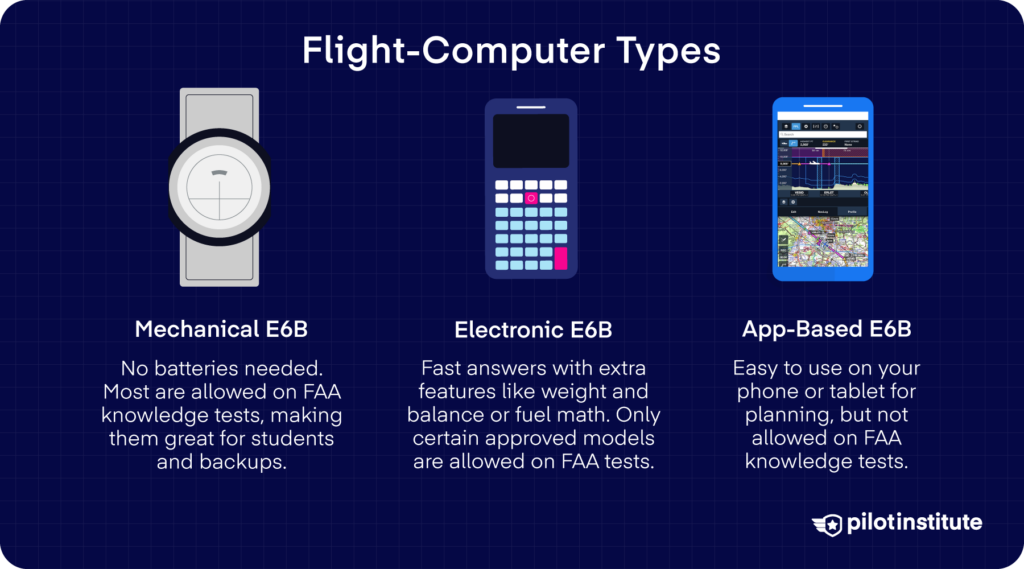
Mechanical (Analog E6B)
Mechanical or slide-rule E6Bs don’t need any batteries or power source. They’re also generally allowed in the exam room for written knowledge tests. That alone makes it a great primary choice for students or a reliable backup later on.
Electronic Flight Computers / Handheld Electronic E6Bs
If you want to get answers quicker, you might want to invest in an electronic E6B. Many models replicate all the functions of a slide rule and then some.
There could be models that have weight and balance, or fuel calculations, and even conventional arithmetic like a standard calculator! These are well-suited for more advanced pilots and instructors.
Not all electronic calculators qualify for use during FAA knowledge tests. Only those explicitly approved (and with memory that can be erased) are allowed.
App-Based (EFB Plugins on Phone/Tablet)
App-based flight computers emulate the functions of a mechanical or electronic calculator but run on a phone or tablet. That makes them very convenient for daily flight planning.
The downside? Well, since they run on devices with memory and connectivity, you can’t use them in the knowledge test. So even if you use them for planning, you still need a mechanical or approved electronic computer for tests.
| Format | Price Range | Power Source | Exam-Legal? | Ideal User |
| Mechanical E6B | $15–$40* | None | Always | Students, backup device |
| Electronic Calculator | ~$100* | AAA batteries | Only FAA-approved models | Multi-rating pilots, CFIs |
| App-Based (EFB plug-ins) | $75–$370* yearly subscription | Phone/tablet battery | Never | Daily planning, airline crews |
*Prices listed are based on the time of writing this article and could change.
Mechanical E6Bs / Mechanical Flight Computers

You’ll immediately notice how E6Bs have two sides to them. So, what are they for?
At first glance, the circular slide rule can look a little intimidating because it is built on logarithmic scales. But once you start using it, the mystery fades fast.
What you really have in your hands is a rotating disk with numbers on the middle scale that line up against markings on the fixed outer scale. When used right, it can solve everyday flight problems like pressure altitude and fuel calculations.
Flip the E6B over, and you land on the wind side, where the picture really comes together. You use the triangular wind grid and the rotatable compass rose to line up your course and the wind. The center grommet and wind scale help you plot everything precisely.
In just a few steps, you can see your drift angle and true groundspeed. A built-in window also allows you to correct the indicated airspeed for altitude and temperature.
Pros and Cons
Pros
Mechanical flight computers never need batteries. That means it is always ready, even if other electronic devices fail or run out of power. They’re also allowed in exam rooms for knowledge or practical tests.
And when your electronics give out, you’ll always have a dependable backup tool.
Cons
But of course, their manual nature brings some downsides. Calculations tend to be slower compared with pressing buttons or entering data. There is also a risk of minor errors, since they can only be so accurate.
Because the slide rule doesn’t explicitly show where the decimal point belongs, you have to mentally place it based on the context. Many mistakes stem from misplacing that decimal. For example, you might read “12” when it actually means “1.2” or “1200.
Electronic E6Bs / Electronic Flight Computers
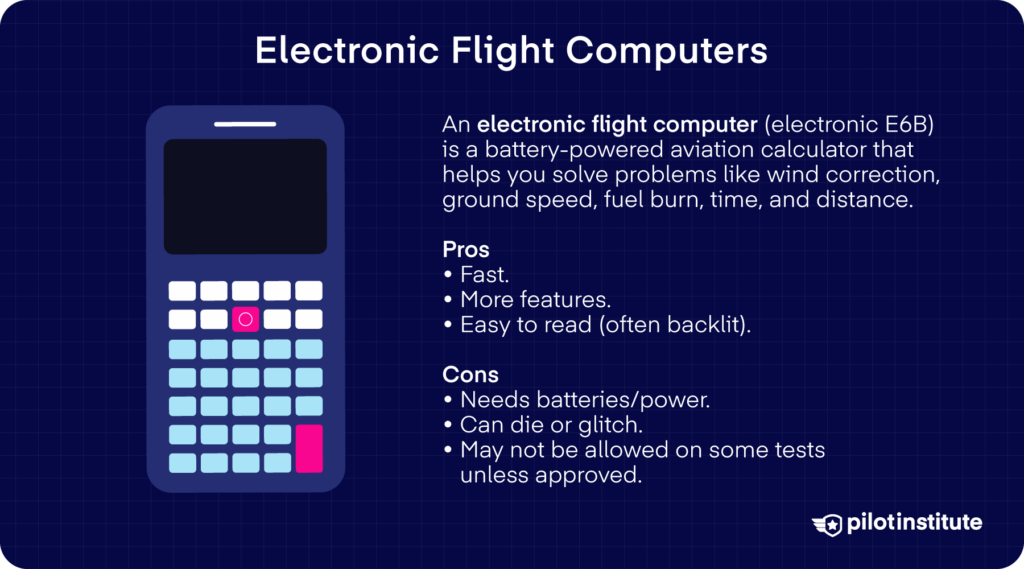
Electronic flight computers bring a lot of modern convenience to the cockpit. Unlike a mechanical E6B, they run on batteries and are capable of doing more than just the basic calculations.
Many electronic models include an auto-wind function, so you don’t need to manually draw vectors on a wind grid. They also have built-in stopwatches or timers and clocks, unit conversions, and even performance or weight and balance calculations.
FAA-Approved Models Compared
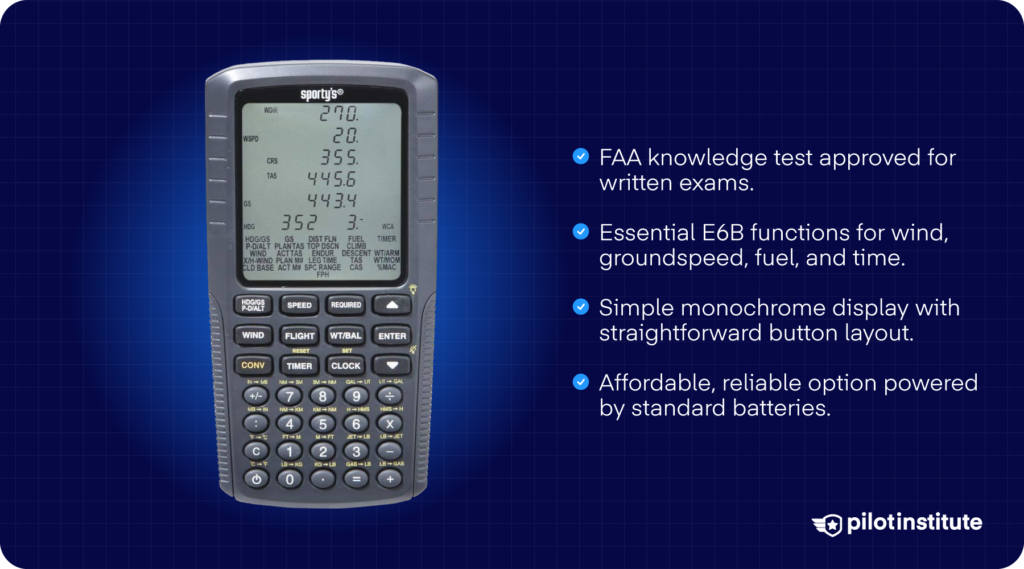
One of the most widely accepted electronic flight computers is the Sporty’s Electronic E6B Flight Computer. This model is approved for use on knowledge tests and offers a backlit screen, large keypad, and all the functions you’d expect from a digital E6B.
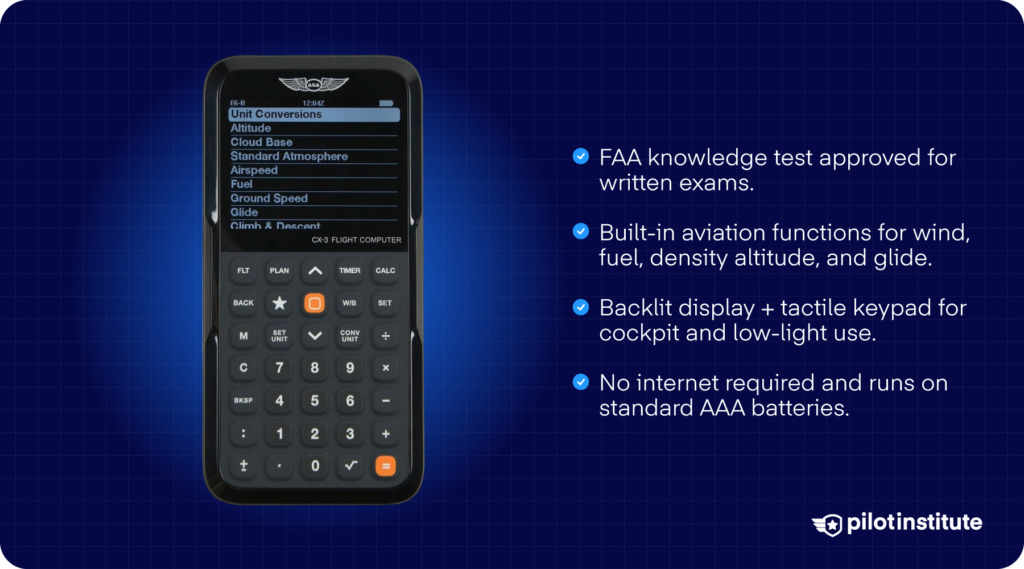
On the modern end is the ASA CX-3 Flight Computer. It is also FAA-approved and offers a full suite of aviation functions: time, speed, distance, heading, wind, fuel, altitude, weight and balance, glide/climb, holding patterns, unit conversions, and even built-in timers, a stopwatch, and UTC/local clocks.
Buying Considerations
It gets really bright in the cockpit, especially at midday. That’s something you need to consider.
Models with good backlighting or contrast tend to perform better under bright daylight or nighttime cockpit conditions.
Battery life matters too. You’ll want a device that will last through long navigation sessions or cross-country trips without draining mid-flight.
For exam use, check that the model is officially permitted under FAA rules and that it has a “memory clear” toggle.
App-Based Flight Computers
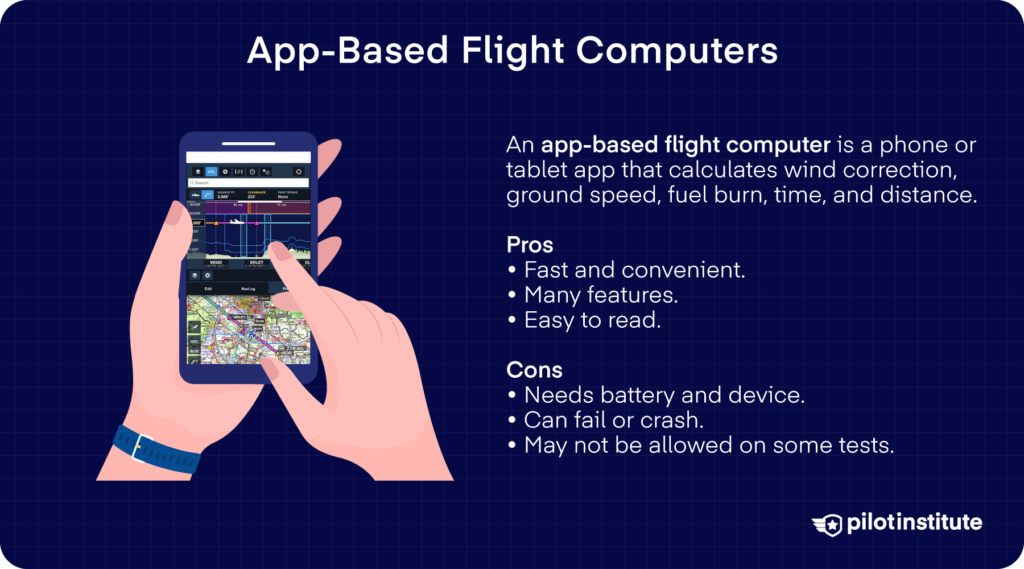
App-based flight computers take you way farther than beyond what a manual slide rule or even a dedicated electronic calculator can.
Once you connect an app to GPS, you’re no longer working with estimates alone. You get real-time winds aloft, live groundspeed, and constantly updating performance data right in front of you.
And remember, all that is just on top of what a classic E6B can already do. The only difference is that this time, you also get automation and convenience. That’s why they’re so popular for planning and in-flight decision-making.
Limitations
But even with all their power, app-based flight computers are not without their drawbacks.
For one, they’re not allowed in FAA knowledge test rooms. In the aircraft, you’re also at the mercy of batteries and heat. Plus, touchscreens can be tricky to use in turbulence, where an unintended tap can lead to the wrong input.
Then, there’s that human element. Heavy dependence on an app can quietly erode your manual calculation skills. It might not seem important, but just imagine what it’ll be like when electronics fail.
Since these apps fall under electronic flight bag guidelines, you also need to keep data current and carry proper backups when required.
Apps are powerful partners, but they work best when you treat them as aids, not crutches.
Using Your Flight Computer Effectively
For Written Exams
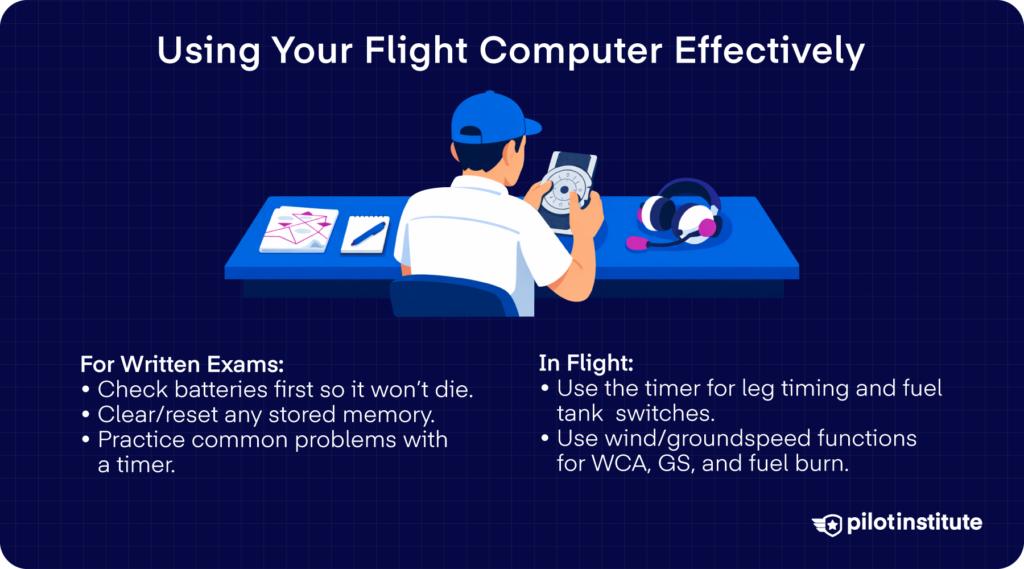
If you’re bringing an electronic flight computer, you don’t want it to die on you in the exam room. Make sure to check the batteries beforehand. And if it uses memory, clear it or reset it so that nothing remains stored.
How can you make the most of your flight computer during exam prep? Practice solving for navigation or performance problems under a timer. It’ll help you avoid fumbling with unfamiliar data or calculations when the clock is ticking.
In-Flight Techniques
But a flight computer gets to serve its real purpose when you’re in the air. Ever wondered what that timer or stopwatch feature is for? With it, you can track time-sensitive procedures like fuel tank switching or leg timing.
If you need to compute holding speed, wind correction, groundspeed, or fuel burn during flight, use the wind/groundspeed or wind page functions.
Best Electronic Flight Computers
A good electronic flight computer can serve you from your Private Pilot Certificate all the way to Commercial Pilot or instructor training.
ASA CX-3 Flight Computer – Best Overall Electronic
Why We Like It
The ASA CX-3 Flight Computer has a user-friendly interface and a tactile keypad that integrates smoothly with your workflow in the cockpit. It’s got a backlit display, which helps in various lighting conditions.
Good to Know
This model is officially approved for use on FAA knowledge exams (ground school, written tests) because it meets the guidance under relevant FAA exam aid policies. It includes a protective cover, a non-slip body, and you can save aircraft-specific data for repeated use.
Specs Line
- Type: Electronic flight computer
- Power: AAA batteries
- Exam-Legal: Yes (FAA-approved)
- Offline: Yes (standalone device)
- Price: US$120* to US$150*
Sporty’s Electronic E6B – Best Budget Electronic
Why We Like It
Looking for a reliable and affordable entry point? Then you might like the Sporty’s Electronic E6B Flight Computer.
It supports essential navigation and performance computations such as wind correction, crosswind components, and weight and balance conversions.
The device includes a backlit screen for when you’re flying at night. It also has a storage case for protection.
Good to Know
Like the CX-3, this unit is approved for FAA knowledge tests when used in test-legal mode (batteries installed and memory cleared).
This computer’s keypad layout and aviation functions cover most of what you’ll need for PPL or IFR written exams without overspending.
Specs Line
- Type: Electronic flight computer
- Power: AAA batteries
- Exam-Legal: Yes (FAA-approved)
- Offline: Yes (standalone device)
- Price: Around US$95*
Best Mechanical Flight Computers
The whiz wheels that never run out of batteries have been a staple in every student pilot’s flight bag. If you choose the right one, it can serve you from your first exam through years of flying.
All of these models are test-legal and built to last. Many pilots keep them in their gear for decades.
ASA E6-B Composite – Best Entry-Level Wheel
Why We Like It
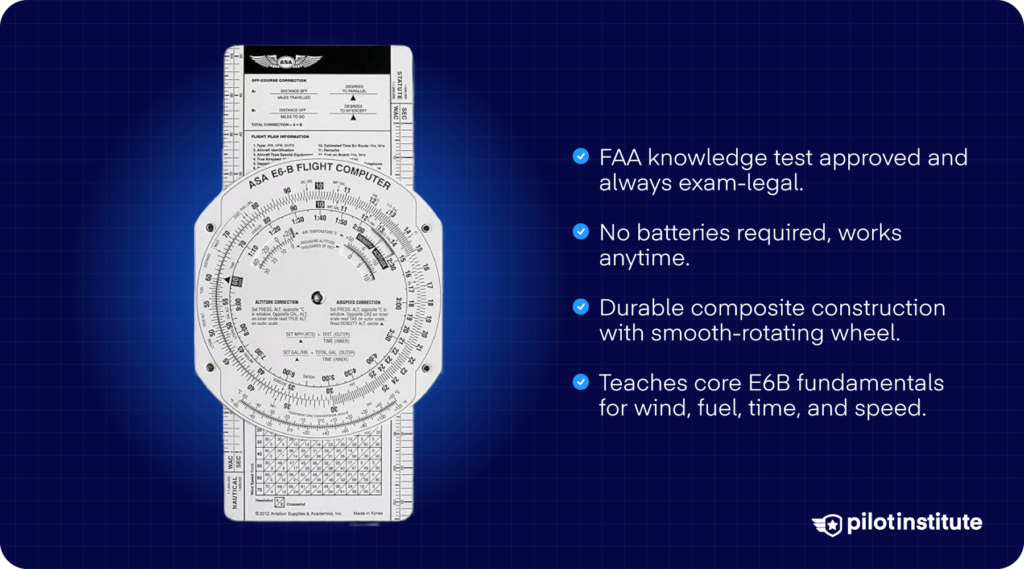
The ASA Composite E6-B (often sold as a paper or fiberboard model) is a lightweight and very affordable way to get started in learning the fundamentals.
It has all the core functions in the same size and format as standard analog computers, so you can build good habits as early as now.
Good to Know
Since it’s made from fiberboard or composite, it’s lighter and cheaper than metal versions, but also more prone to wear and tear. It’s still fully FAA-legal for knowledge tests and valid for planning and in-flight use. It’s a good choice for students or those on a budget.
Specs Line
- Type: Mechanical circular flight computer
- Power: None
- Exam-Legal: Yes
- Offline: Yes
- Price: Around US$15*
ASA Metal E6-B – Best Long-Term “Forever” Wheel
Why We Like It
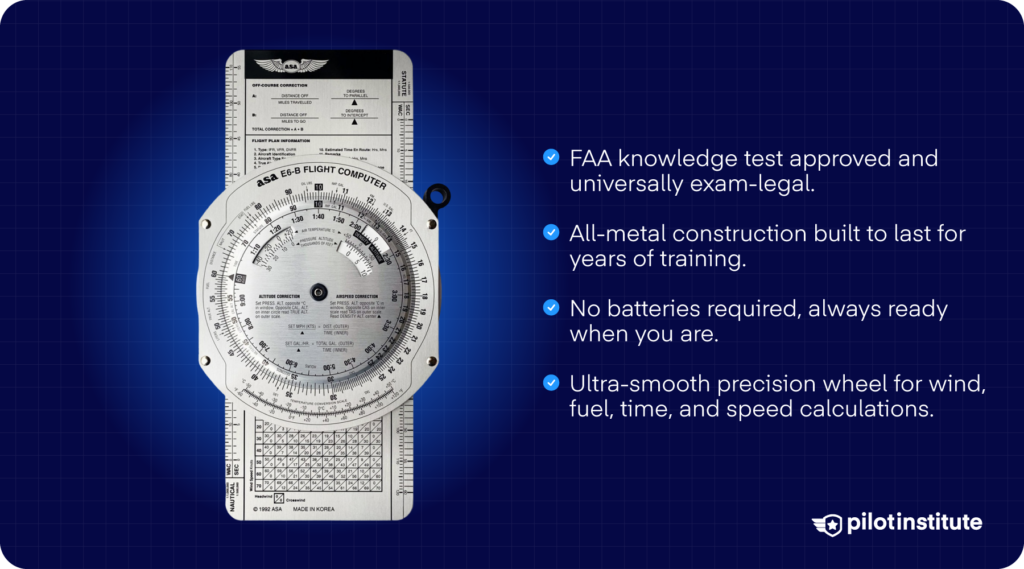
The ASA Metal E6-B uses solid aluminum construction with clear, easy-to-read lettering and a robust build.
It has a wind component grid and crosswind correction chart, and the circular slide computes time, speed, distance, true airspeed, density altitude, and unit conversions. That’s everything you expect from a full-featured analog flight computer!
Good to Know
Because of its durability, this model is often the go-to for pilots who want a reliable “forever” wheel that will hold up through many flights and even multiple ratings. It’s also well-suited for regular use beyond training, be it in planning or as a handy backup in the cockpit.
Specs Line
- Type: Mechanical circular flight computer
- Power: None
- Exam-Legal: Yes
- Offline: Yes
- Price: Around US$50*
ASA Color E6-B – Easiest-to-Read Mechanical
Why We Like It
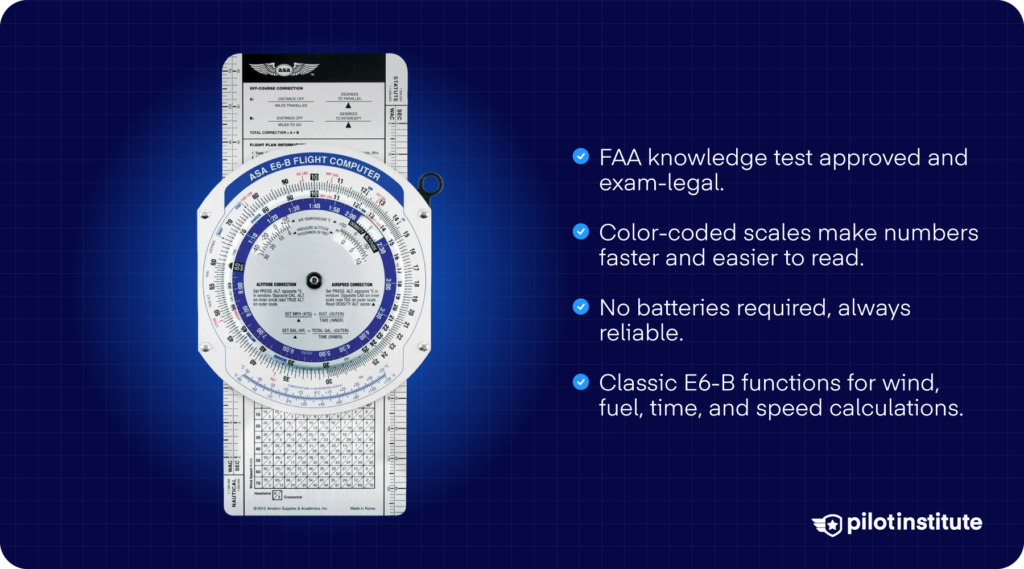
The ASA Color E6-B is made from aluminum, like the standard metal model. The difference? It adds a color-coded scheme that helps you quickly distinguish among different scales and wind correction markings.
For example, on the circular side, different colors differentiate units and calculations. On the wind side, colors identify wind correction angles depending on wind direction.
Reading values will be faster, and you’re less likely to misread the markings. That’s especially useful in dim lighting and under pressure.
Good to Know
It brings all the robustness of a metal E6-B, but with enhanced readability. Many pilots prefer it if they anticipate regular use or want to minimize calculation errors.
Specs Line
- Type: Mechanical circular flight computer
- Power: None
- Exam-Legal: Yes
- Offline: Yes
- Price: Around US$50*
Jeppesen Student CSG E6B – Best “Student Standard” Wheel
Why We Like It
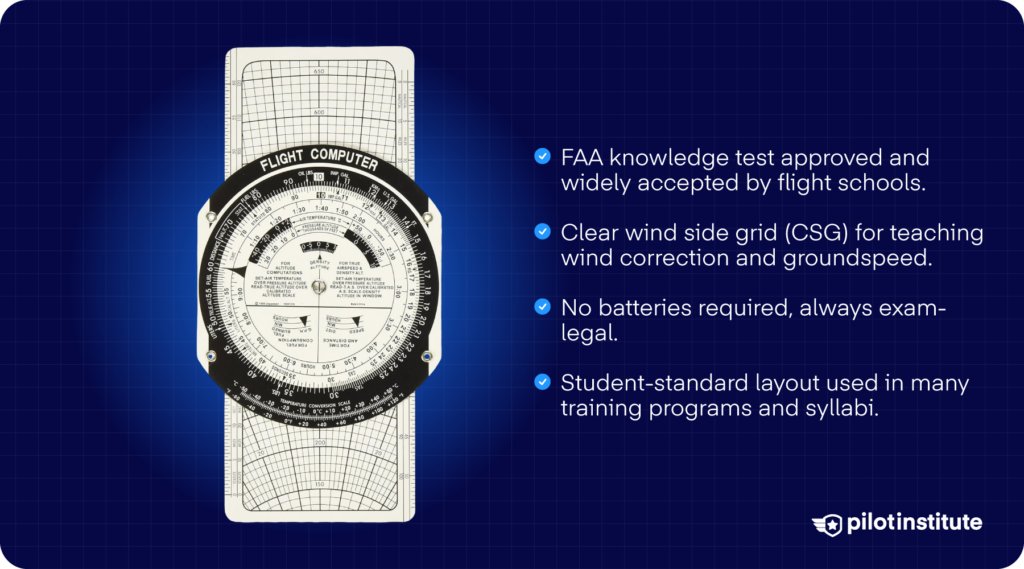
The Jeppesen Student CSG E6-B is a standard-size mechanical flight computer made of rugged plasticized composite material. It was designed to align with the flight calculation methods taught in many training programs and textbooks.
For students who want a durable yet budget-conscious wheel to start with, this model hits that sweet spot.
Good to Know
Because it is composite rather than metal, it weighs less and tends to be more affordable, yet still covers all necessary navigation and performance calculations for PPL, IFR, or CPL use.
It includes a zip-lock carrying case and an instruction manual. That’s a practical package for student pilots.
Specs Line
- Type: Mechanical circular flight computer
- Power: None
- Exam-Legal: Yes
- Offline: Yes
- Price: Around US$17*
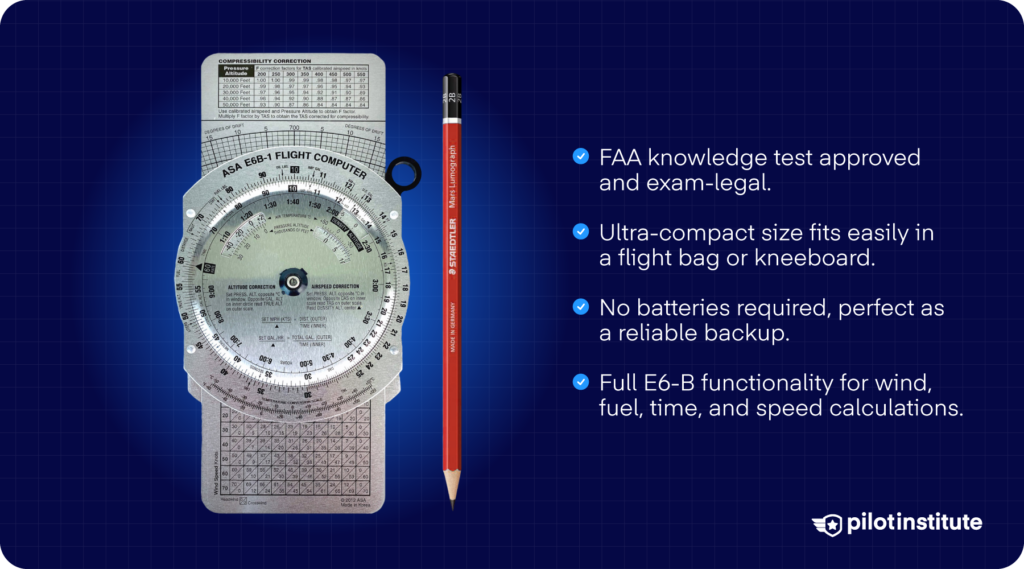
ASA Micro E6-B – Best Tiny Backup
Why We Like It
The ASA Micro E6-B is a compact, pocket-sized mechanical flight computer.
But despite its small size, it’s still a fully-functional wheel. Its small footprint makes it ideal for kneeboards or as a backup if your main computer is unavailable.
Good to Know
Thanks to its size and portability, the Micro E6-B is especially useful for pilots who want to minimize cockpit clutter or carry a minimal setup.
It remains exam-legal, and many pilots value it as a reliable backup, even after they’ve made the switch to electronic computers or apps!
Specs Line
- Type: Mechanical circular flight computer
- Power: None
- Exam-Legal: Yes
- Offline: Yes
- Price: Around US$50*
Best App Flight Computers
App-based flight computers are the tools that make your pre-flight planning and “what-if” thinking easy. These apps are great for everyday planning, cross-country prep, and quick calculations.
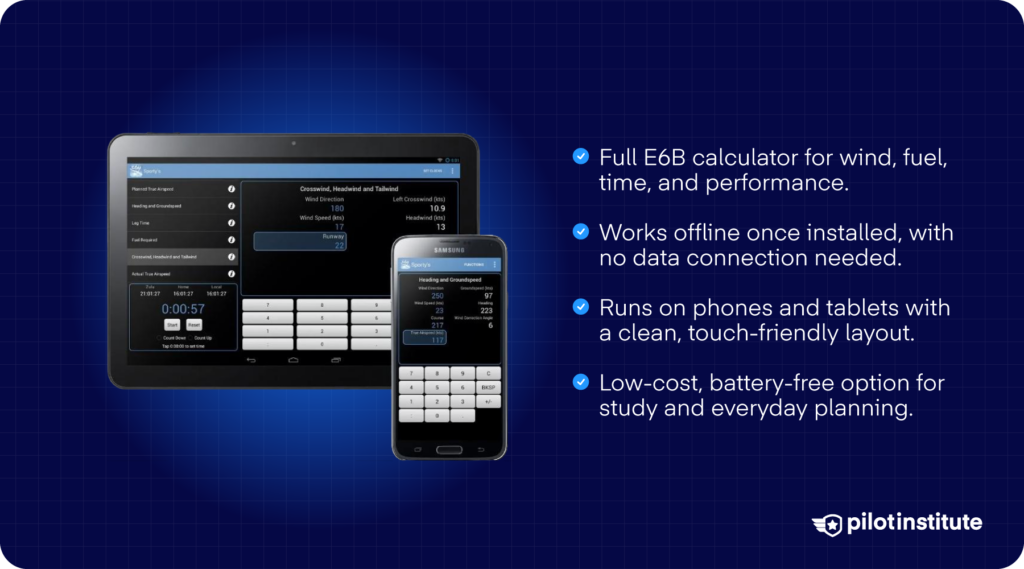
Sporty’s E6B App (iOS & Android) – Best Standalone App Computer
Why We Like It
Sporty’s E6B App puts a full-featured flight computer right in your pocket. It handles the usual navigation and performance tasks, from wind correction angles to time and distance calculations.
It also has a timer/clock function handy for flight legs, and a weight and balance calculator that lets you build and store aircraft-specific loading profiles.
Good to Know
This app works on iPhone and iPad. It’s also available for Android.
Specs Line
- Platforms: iOS, Android
- Price: One-time purchase of US$10*
- Offline: Works for most functions once installed
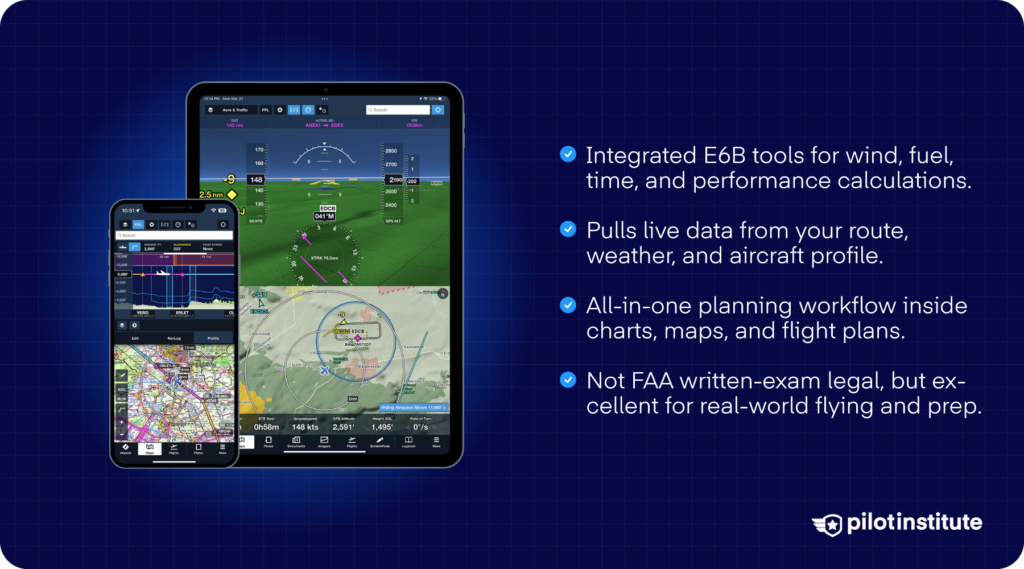
ForeFlight Built-In Tools – Best for ForeFlight Users
Why We Like It
ForeFlight’s built-in calculators and performance tools serve as a seamless addition to your workflow. That way, you get to keep your entire pre-flight packet in one app.
Good to Know
ForeFlight is a full-featured EFB that offers navigation, charts, and performance calculation tools. It’s subscription-based with different tiers depending on the plan you choose.
Take note that it’s available on Apple devices only.
Specs Line
- Platforms: iOS (iPad, iPhone)
- Price: Individual plans range from US$125*/year for the starter features to $370*/year for the premium features.
- Offline: Many features are available when you download data before your flight.
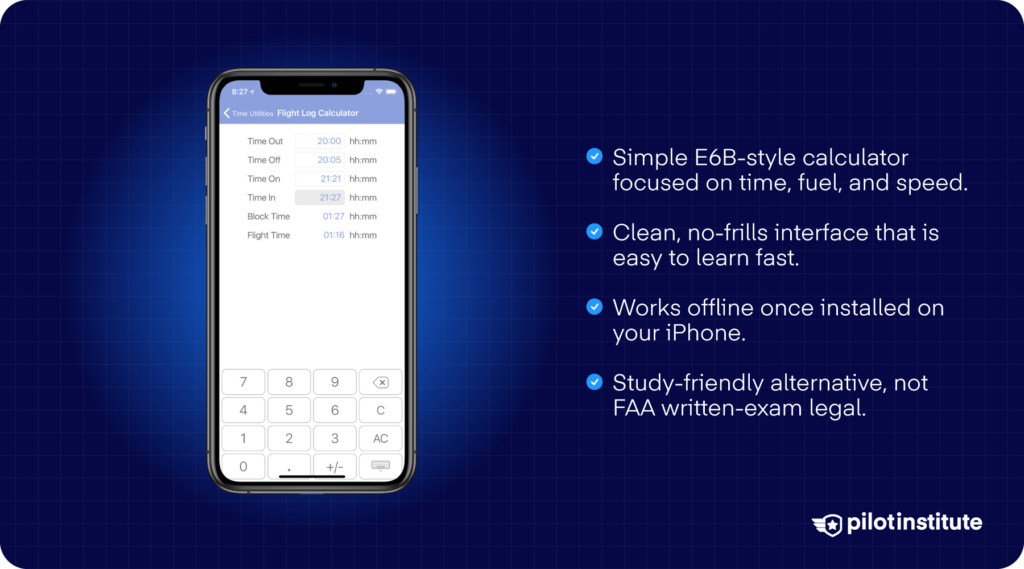
FlightReady E6B (iOS) – Simple Alternative
Why We Like It
FlightReady E6B gives you a straightforward interface that covers the essential functions you expect. It’s a lighter tool if you want a no-frills calculator on your iPhone or iPad without needing a full EFB suite.
Good to Know
FlightReady E6B works on iOS devices. Price tends to be modest, which means it’s an economical way to carry a flight-computer app without the complexity or cost of a full EFB.
Specs Line
- Platforms: iOS (iPhone, iPad)
- Price: One-time purchase of US$10*
- Offline: Basic functions work without needing a network connection
Conclusion
The right flight computer really comes down to what you can legally bring into the exam room and what you can work intuitively. Whatever that may be for you, the best pick is the one that brings you closer to safety.
You can make this even easier by trying a few options yourself. Stop by a pilot shop at your airport and test the feel of different calculators, or download Sporty’s free E6B simulator and see how it fits your workflow.
You might be surprised how much smoother your cross-country planning feels once you find the computer that actually thinks the way you do.